The tools

What each restaurant tool does

Every tool we sell, what you get with it, and the questions owners ask about it. Take one or all of them. Prices are per month, and you can cancel any time.

A look at each tool

$39.99 a month

Website

Guests find your menu, your hours and how to book in seconds, on any phone. We design and build it at no charge.

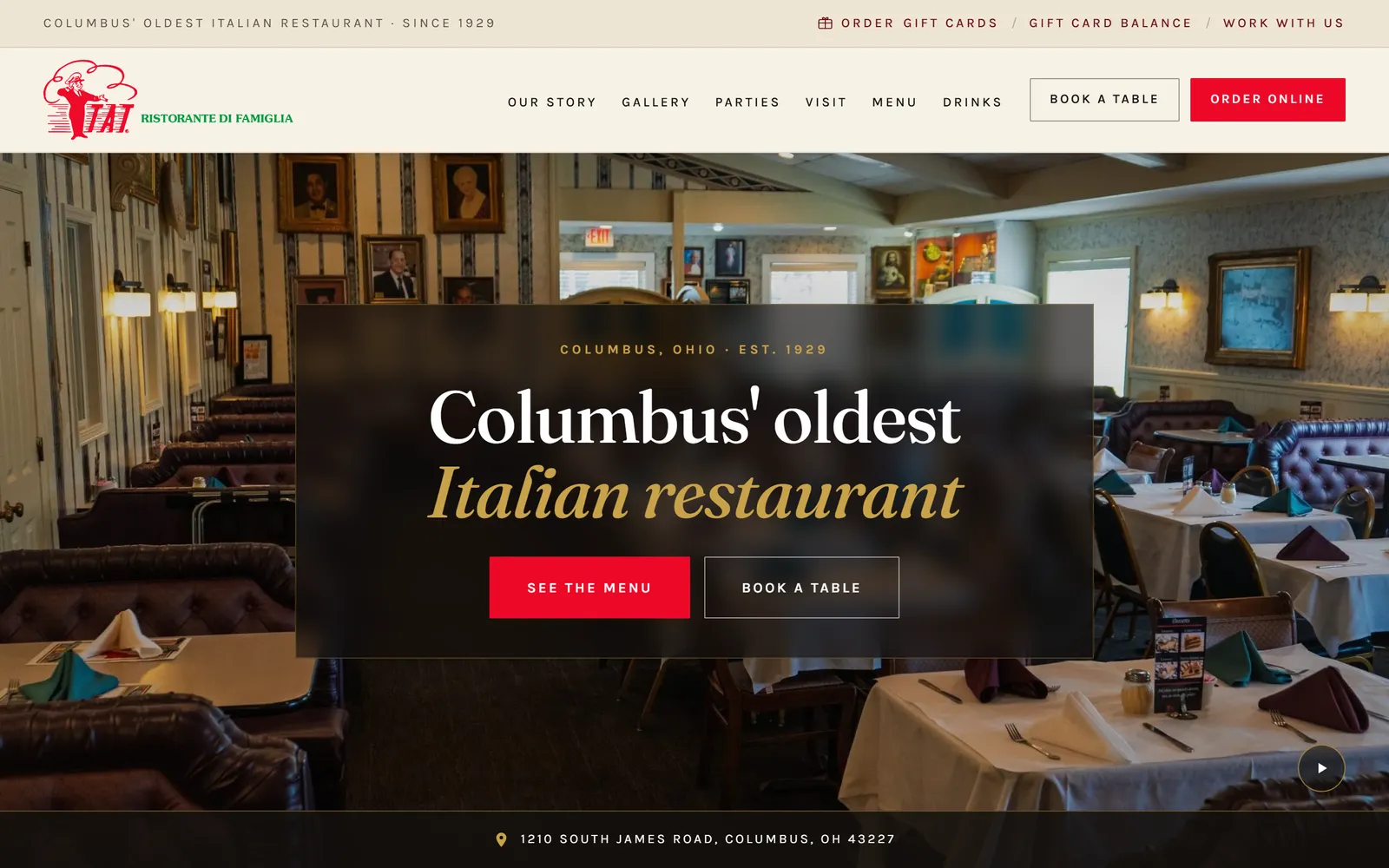
A site we built: TAT Ristorante di Famiglia, Columbus.
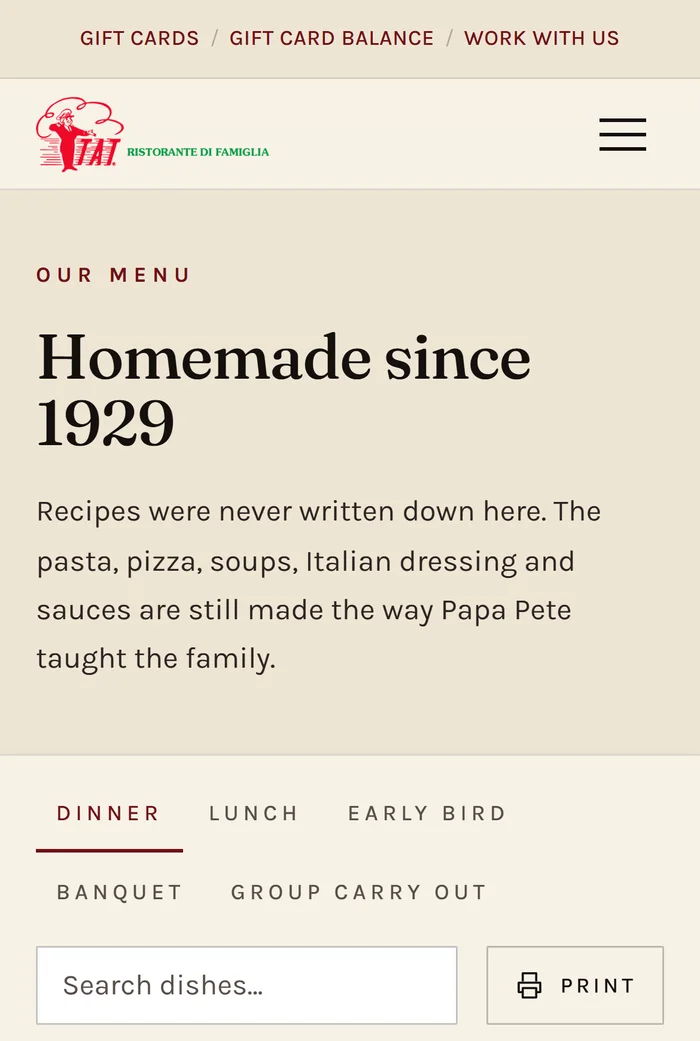
The same site's menu page on a phone, with tabs for dinner, lunch and early bird, and a search box for dishes
The menu on a phone, where most guests read it.

For guests

What they find

  • Your menu as real text, with a tab for each menu, a search box and a clean print version
  • Your hours, an “Open now” note, and any closures coming up
  • Photos sized for phones, so pages load quickly
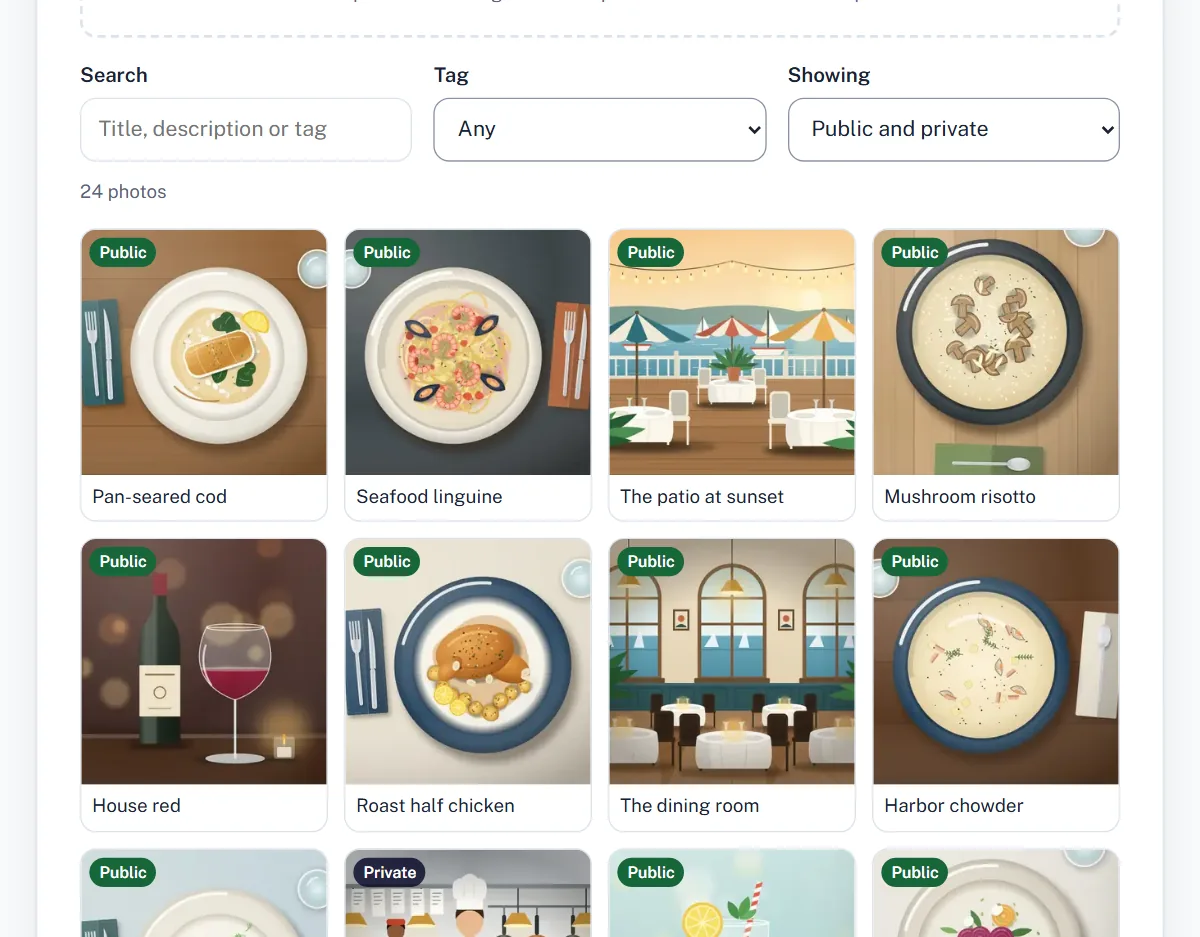
  • A photo library that syncs with your site and your menu
  • Buttons to book a table, order and buy gift cards wherever you already sell them
  • A map to your door

Forms

Inquiries that come to you

  • A private event form: date, guest count and a message
  • A hiring form with résumé upload, if you want one
  • Each inquiry arrives in your inbox
  • Limits on every form to keep spam out

Included

What we take care of

  • Design and build, with no setup fee
  • The menu editor, so you can change the menu yourself
  • Built against the WCAG 2.2 AA accessibility guidelines, with an accessibility statement page
  • Menu and hours marked up so search engines can read them
  • Hosting, security updates and fixes
  • Error monitoring, so we hear about a problem early

Questions about website

Works with: Reservations, Menu sync. Build your toolkit →

$49.99 a month

Reservations

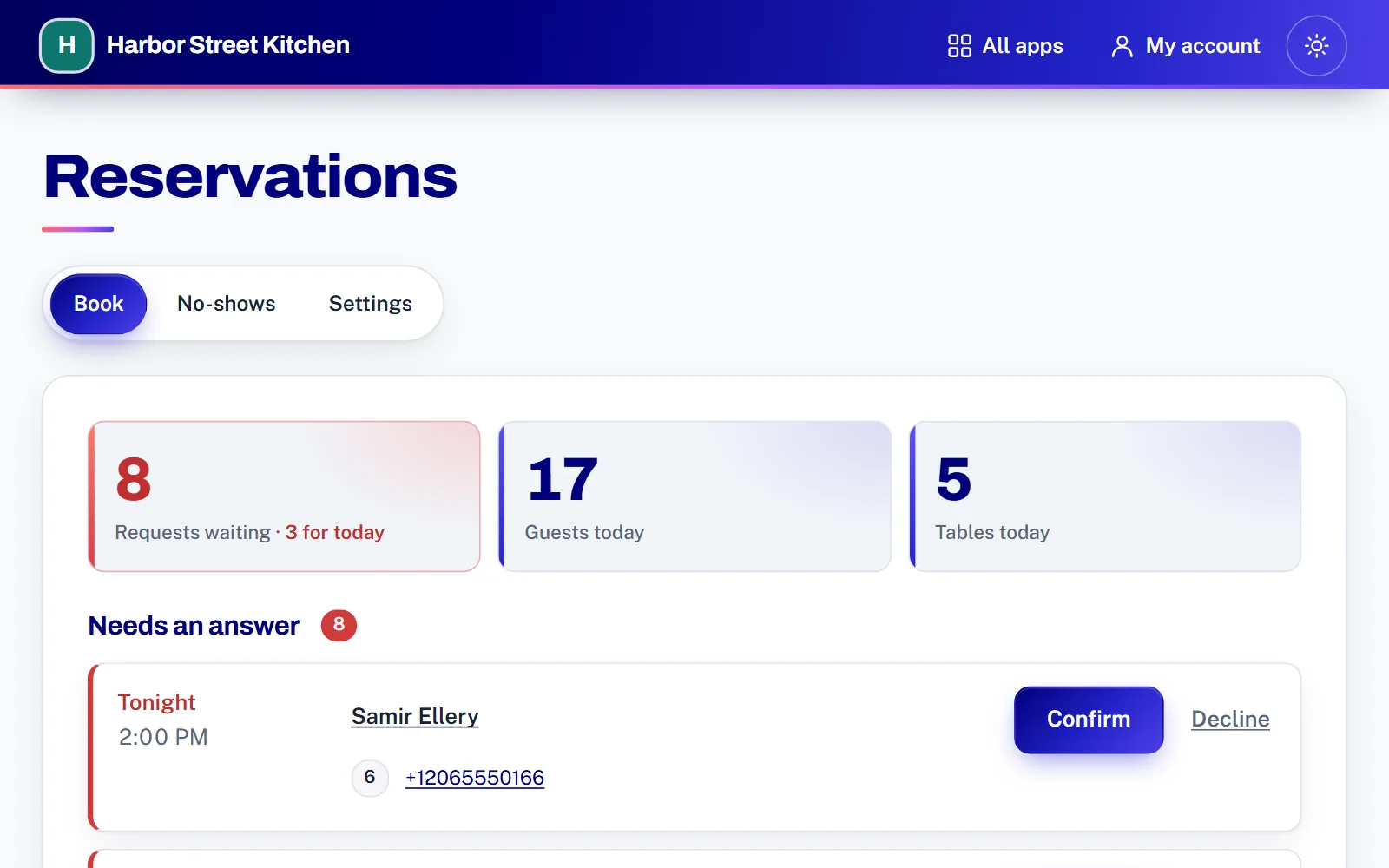
Take bookings directly, with no per-cover fees. Guests ask for a table on your own booking page, you say yes or no, and they hear back straight away.

What your staff see: new requests at the top, the night's book below. The clip shows a request being confirmed.
What your guests see: a booking page in your name and colours, shown here for a sample restaurant. The clip shows a request being made.
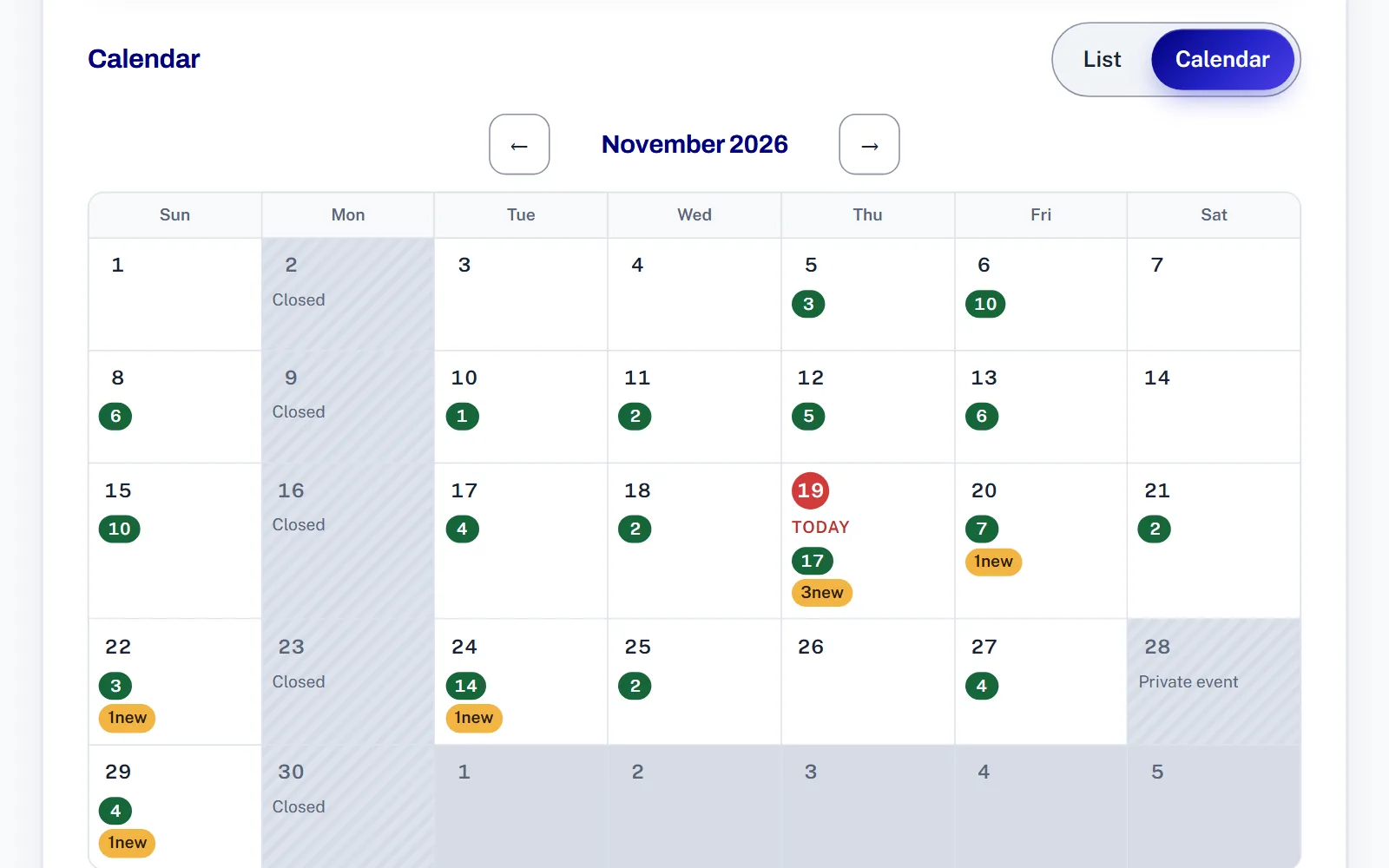
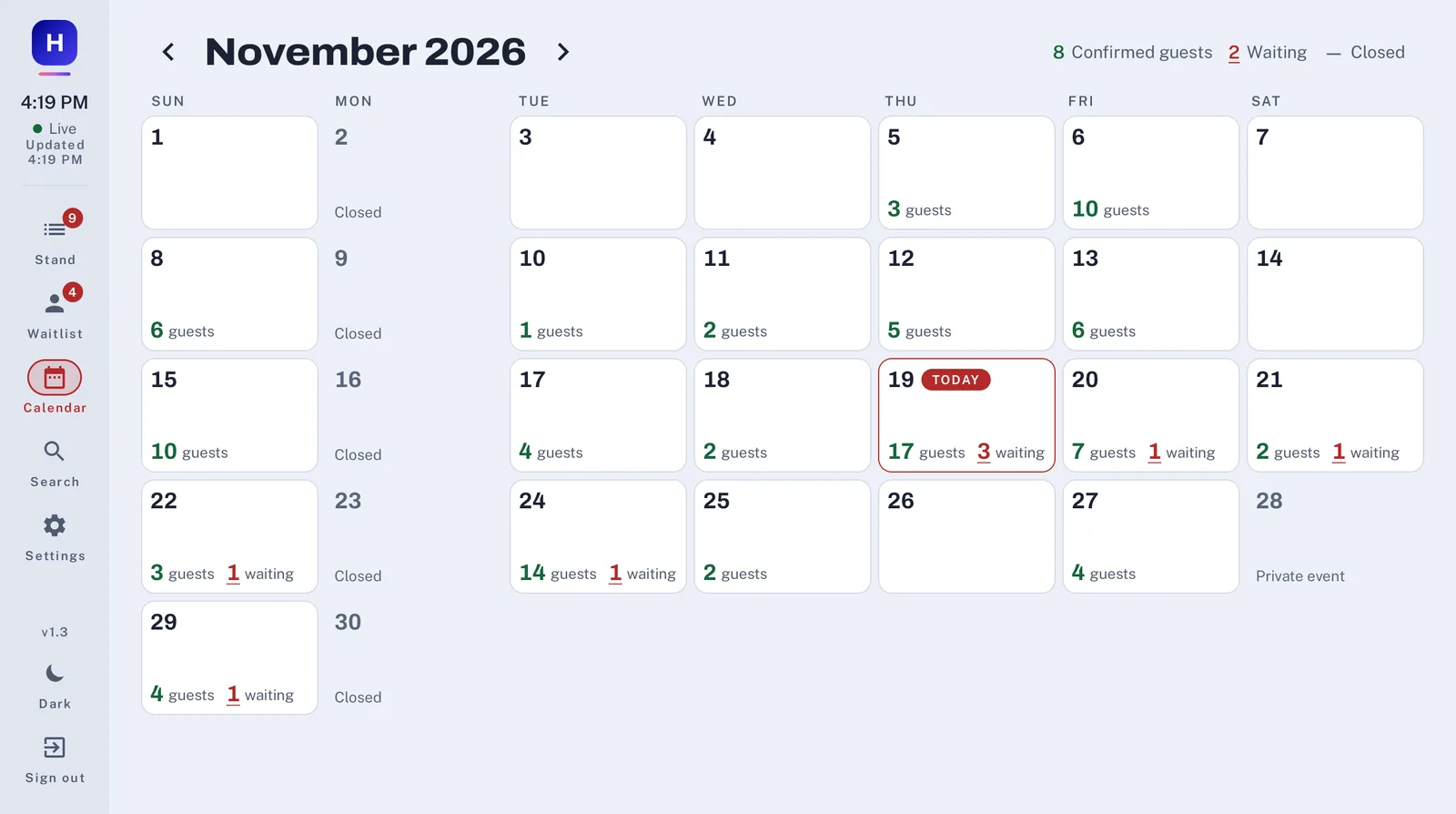
The reservation book as a month calendar: closed days shaded, and each open day marked with its confirmed guests and new requests
The month at a glance: confirmed guests in green, requests waiting in yellow, closed days shaded.
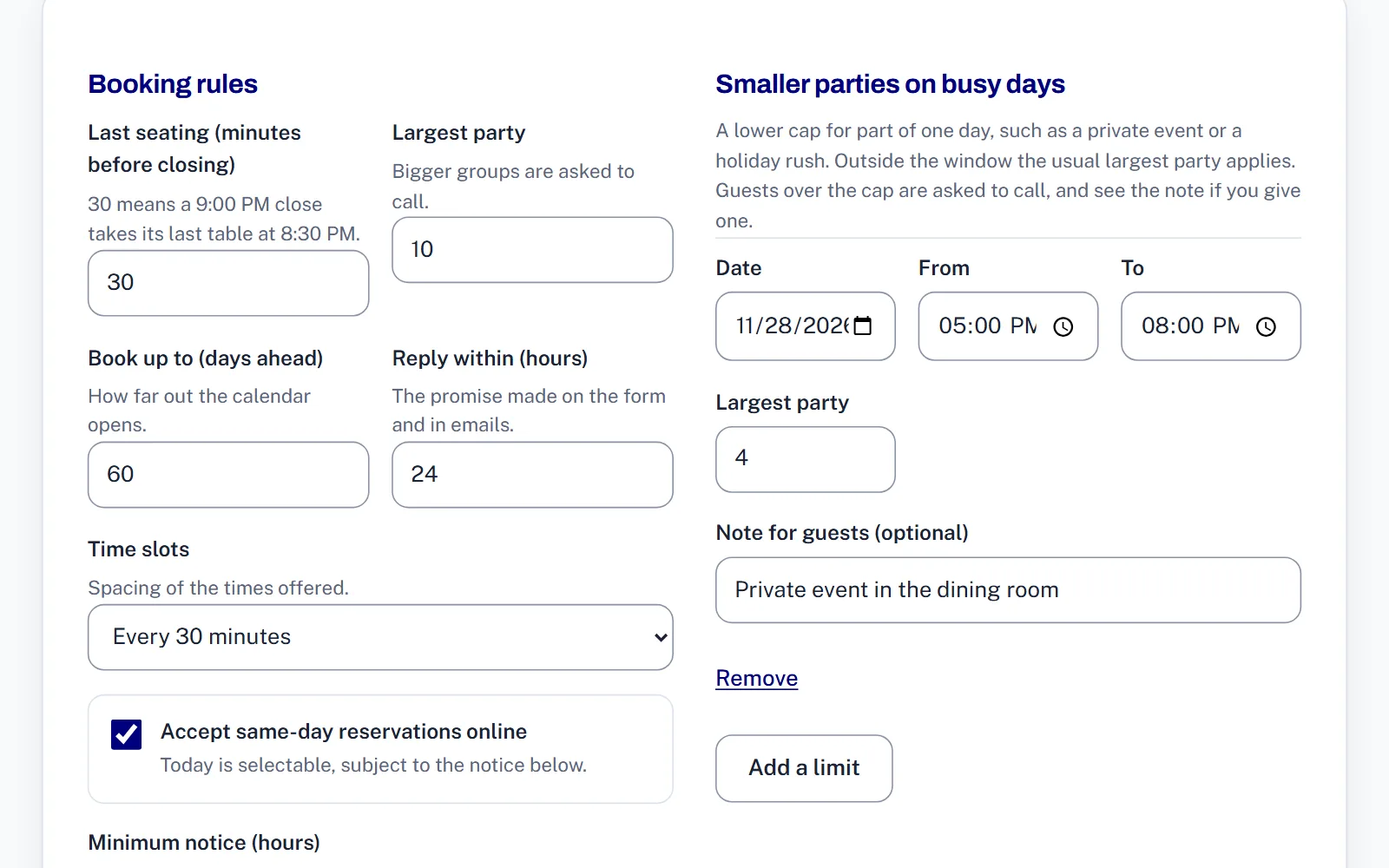
The booking rules screen: last seating, largest party, how far ahead guests can book, time slot spacing and same-day booking, with a smaller party limit set for one busy day
Your rules: last seating, largest party, slot spacing and same-day notice.
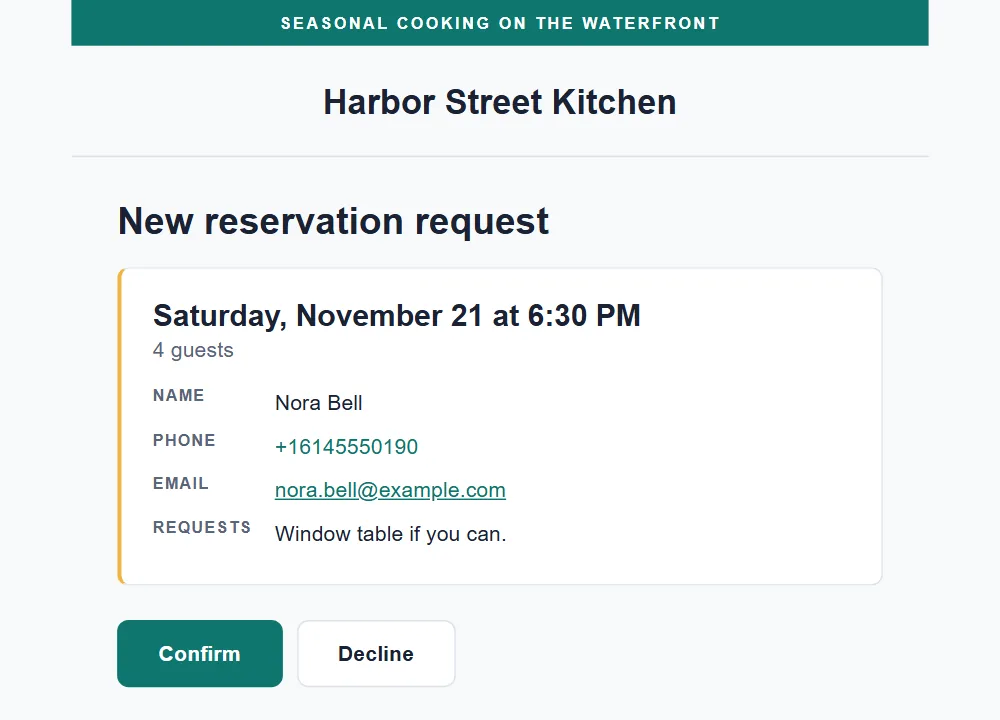
The email staff get for a new request: Saturday, November 21 at 6:30 PM, four guests, the guest's name, phone and note, with Confirm and Decline buttons
Each request also arrives by email, and staff can answer it from there.

For guests

Booking a table

  • Pick a date, time and party size; the times offered follow your hours and last seating
  • An email when the request arrives, and another when you confirm or decline
  • The same updates by text, once texting is set up for your restaurant
  • A text reminder the day before, once texting is set up
  • A private link to check the booking or cancel it

For your staff

Answering requests

  • An email for every request with Confirm and Decline buttons; same-day requests are marked TODAY
  • The same request by text, with links to confirm or decline, once texting is set up
  • A staff screen with the book as a list and as a calendar
  • Move a confirmed booking to a new date, time or party size, and the guest is told
  • An alert when a guest cancels
  • Mark no-shows; a guest with a past no-show is flagged the next time they book

Your rules

Set up to match how you run

  • Opening hours, closed days and holidays
  • Time slots every 15, 20, 30 or 60 minutes
  • A largest party size, with bigger groups asked to call
  • Smaller limits on chosen dates, for a private event for example
  • Same-day booking on or off, with a minimum notice
  • A pause switch with your own message

Questions about reservations

Includes up to 300 reservations and 1,000 texts a month. Each additional 100 reservations is $10, and each additional 250 texts is $10. Works with: Host stand, and any website. Build your toolkit →

$19.99 a month, plus $149.99 once for the tablet

Host stand

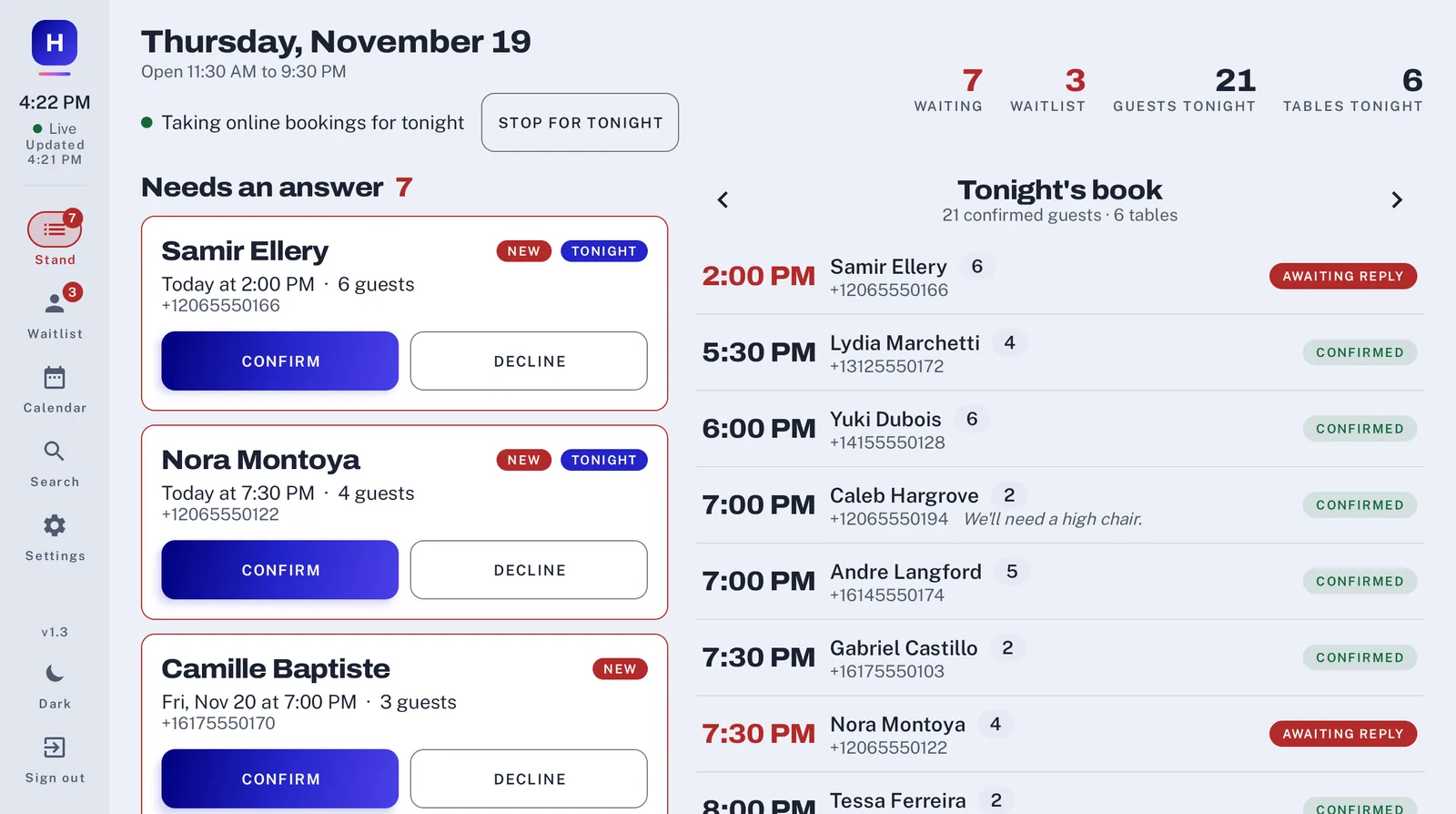
Your host sees every booking and every waiting party at a glance. It is the reservation book on a tablet at your door.

The tablet at the door. The clip shows a request being confirmed, then a walk-in party being seated.
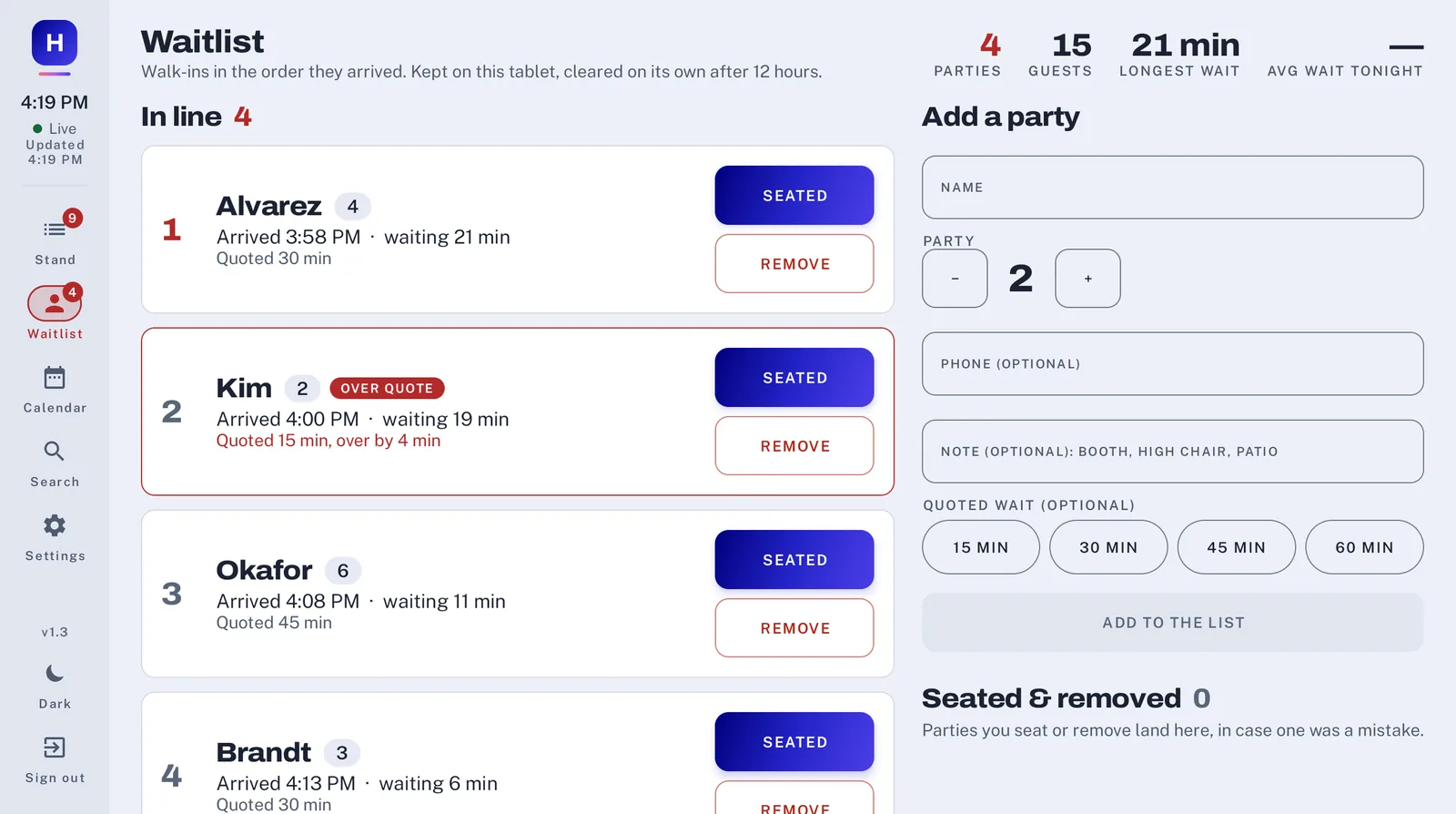
The waitlist on the tablet: four walk-in parties in line with party size, arrival time, minutes waited and the wait quoted, and a form to add the next party
The walk-in waitlist: who is in line, how long they've waited, and what you quoted them.
The calendar on the tablet: a month view with closed days marked and guest counts on the days with bookings
The month on the tablet, with closed days and guest counts.

The book

Tonight at a glance

  • Tonight's hours, requests waiting, and the bookings and guests you're expecting
  • Confirm, decline or change a booking from the tablet
  • A day-by-day calendar
  • Search by name, phone or email
  • A “Stop for tonight” button that turns off same-day online booking until tomorrow

Alerts and waitlist

Nothing gets missed

  • A chime and a flash on screen for a new request or a guest cancellation
  • The chime sounds even when the tablet is on silent
  • A walk-in waitlist with name, party size and the wait you quoted
  • Shows how long each party has waited and flags anyone past their quote
  • Shows your average wait

The tablet

Made for a busy door

  • Arrives set up and ready to use
  • Locked to the host stand app, so it can't be used for anything else
  • Keeps showing the last copy of the book if the Wi-Fi drops
  • The waitlist and search keep working offline
  • Staff sign in, and every booking action is recorded under the signed-in account
  • Updates itself after closing time

Questions about host stand

Works with: Reservations (required). Build your toolkit →

$29.99 a month

Email and text marketing

Fill a slow night by telling your regulars about it. Messages go only to guests who asked to hear from you.

Your list

Guests who said yes

  • Guests can opt in when they book a table
  • A sign-up form for your website
  • Bring in a list you already have
  • Anyone can unsubscribe with one tap or by replying STOP

Sending

Specials and events

  • Send by email, by text, or both
  • Ready-made layouts for a special, an event or holiday hours
  • Write it now and schedule it for later
  • Send a test to yourself first

Included

What it covers

  • Email, and 500 texts a month
  • $10 a month for each additional 250 texts
  • See how many guests opened and clicked

Works with: Reservations. Build your toolkit →

$24.99 a month

Social media manager

Stay in front of your regulars without finding time to post. You choose the days, and you can approve each post or let them go out on their own.

An approval email for a sample restaurant: the chosen photo of shrimp scampi, then numbered caption options, each in a different style
The approval email, shown with sample captions for a sample restaurant.
  1. 1. An email arrivesIt shows the photo and ten captions, each written in a different style.
  2. 2. You reply with a numberReply 1 to 10 to post that caption, 11 for new captions, or 12 for a different photo.
  3. 3. It postsThe post goes out on your pages, and you get an email confirming it.

Where it posts

Your pages

  • Your Facebook page, Instagram and LinkedIn page
  • A single photo, or up to 10 photos in one post
  • Text-only posts on Facebook and LinkedIn
  • Your own photos, without repeating one too soon

Captions

Written for you

  • Ten caption options for each post
  • Written in your restaurant's voice, from the photo and your past posts
  • Ask for shorter, or for a different angle

Approval

You stay in charge

  • Choose the days and the time posts go out
  • Approve by email: reply with the number of the caption you like
  • Ask for new captions or a different photo in the same reply
  • Or let posts go out without approval
  • An email after each post so you know it went out

Questions about social media manager

Works with: any website. Build your toolkit →

$19.99 a month

Listings and reviews

Be accurate everywhere guests look you up, and see every review in one place.

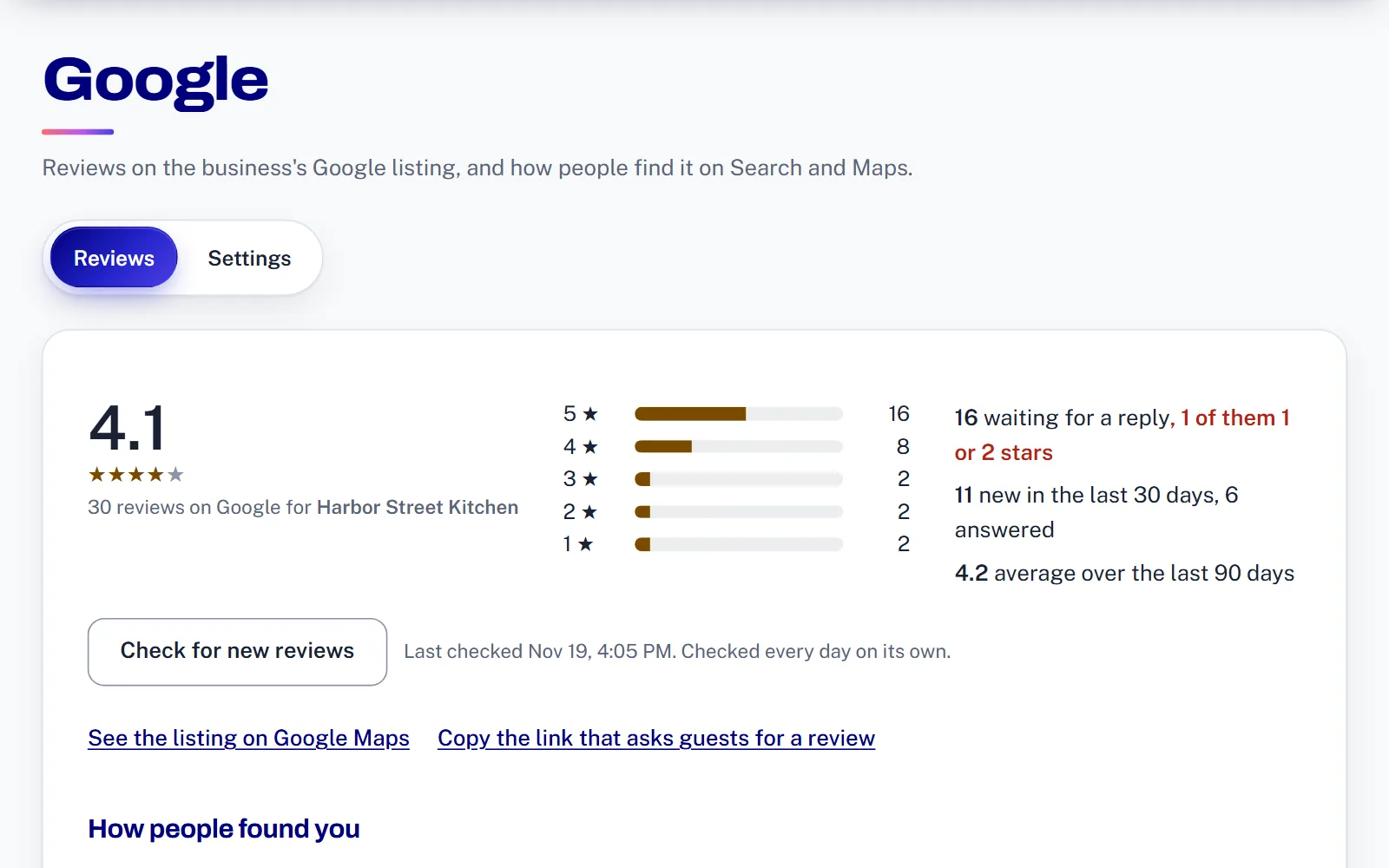
The Google screen for a sample restaurant: a 4.1 star rating from 30 reviews, a count of reviews by star, and 16 reviews waiting for a reply
Your Google reviews and how people found you, in one place. The reviews and figures shown are samples.
The clip shows a reply being written and posted to a two-star review.
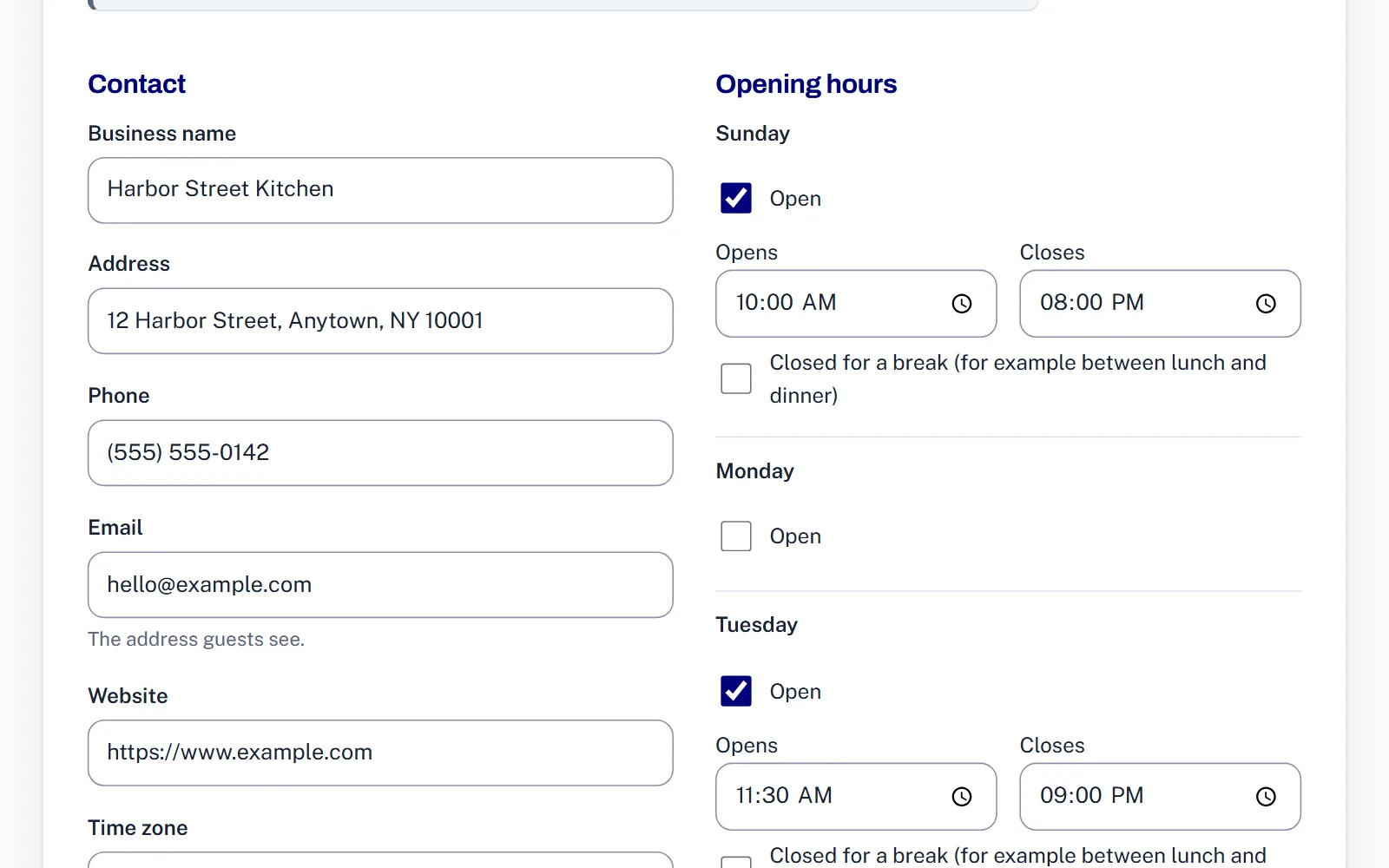
The business details screen: contact details on the left and opening hours on the right, with an Open tick box and opening and closing times for each day
Hours are kept in one place, and your Google listing follows them.

Listings

Kept current

  • Change your hours once and your Google listing follows
  • Closed dates included

Reviews

Seen and answered

  • New Google reviews collected every day
  • An email alert for a new low-star review
  • Find reviews by star rating, by keyword, or by whether they've been answered
  • Reply to a review from the same screen
  • A link you can hand guests to leave a review

Numbers

How guests find you

  • How often you appeared on Google Search and Maps
  • Calls, website visits and direction requests from your listing
  • For the last 7 or 28 days

Questions about listings and reviews

Works with: Reservations, Website. Build your toolkit →

Coming soon

Online ordering

Guests will order pickup from you directly, not through someone else's app. It isn't available yet and it isn't priced yet. We don't run delivery.

Until it's ready, your site links to the ordering service you already use. Tell us if you'd like to hear when it's ready →